Connection to fiscal equipment
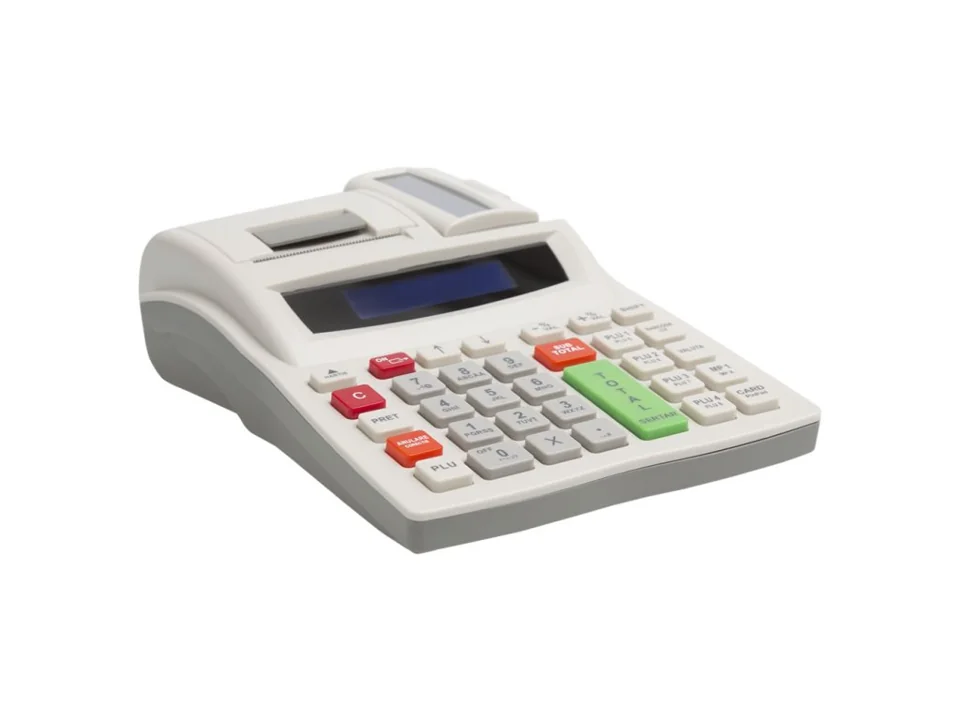
FiscalNET connects the sales application to compatible cash registers and fiscal printers for transmitting orders and printing receipts.

We are FISCALNET SRL, a company based in Oradea. Through FiscalNET, we connect sales applications with the equipment used at the point of operation. We work with users, software developers and distributors to configure and integrate the right solution.
The first FiscalNET drivers were implemented in 2018, in the context of legislative changes concerning cash registers. The team started from a specific need: connecting sales applications to the new fiscal equipment and maintaining a clear workflow at the point of sale.
The team's experience and previous implementations form the foundation of the solutions we offer today. We continue to develop FiscalNET based on the requirements of users, integrators and distributors.
FiscalNET V2 remains available for companies using this version. V3 is the new generation for Windows and Android, already in use in installed configurations. The documentation and kits are organised by version, so that each user can find the right resources.
FiscalNET connects the sales application to compatible cash registers and fiscal printers for transmitting orders and printing receipts.
FiscalNET PLUS transmits the amount from the sales application to the compatible bank POS, depending on the platform and integration.
FiscalNET V3 with a PLUS licence transmits the weight from compatible scales to the sales application, depending on the model and integration.
Whether you are using FiscalNET V2 or V3, developing an application, or configuring equipment for customers, you will find the documentation and contact details you need here.
Do you use FiscalNET in your day-to-day work? Find the compatible equipment and the configuration steps for the installed version.
Find the equipmentThe integration documentation explains how to send commands and interpret responses. Choose the method appropriate to the application and the FiscalNET version in use.
Explore integrationDo you configure solutions for your customers? Discuss equipment, licensing and the steps for collaboration with the team.
Become a partnerWe start with the FiscalNET version, the sales application and the connected equipment. The functions and configuration steps vary depending on the platform, model and licence.
In the Help Centre, you will find download kits, configuration tutorials, integration documentation, and explanations for error codes.
Open the Help Centre →For technical support, please provide the equipment model, the FiscalNET version, and the exact message displayed. If you purchased through a distributor, contact them first: they know the configuration that was installed.
Contact and Support →| Information | Detail |
|---|---|
| Name | FISCALNET SRL |
| CUI | 48933292 |
| Trade Register | J05/2606/2023 |
| EUID | ROONRC.J5/2606/2023 |
| Registered office | Str. Nicolae Jiga no. 50, 410013 Oradea, Bihor, Romania |
| Contact | suport@fiscalnet.ro · 0772 179 309 |
| Program | Monday–Friday, 09:00–17:00 |
Download FiscalNet and configure your equipment.