The terminal has no network access
Check the network selected in the Connection menu and the WiFi/mobile data access with the terminal distributor.

The hardware interfaces are documented. The compatibility of this model with FiscalNET requires confirmation.
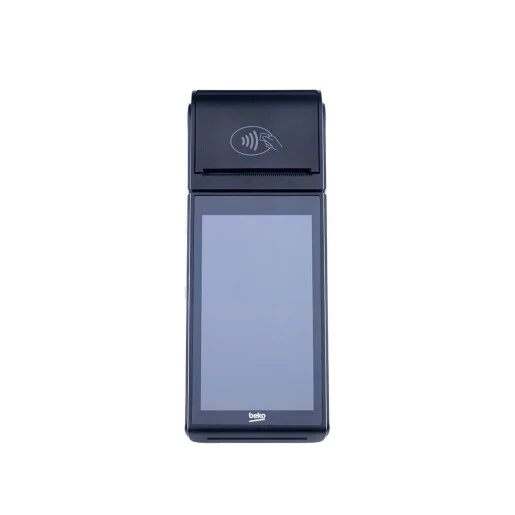
Android terminal with ECR330 fiscal application, WiFi/mobile data connectivity and payment module. The public manual describes how to use the terminal, without confirming a FiscalNET integration contract.
Android terminal with ECR330 fiscal application. The network interfaces are documented; the FiscalNET integration contract remains to be confirmed.
The terminal runs Android. The following steps describe its preparation; the FiscalNET package and the available functions are confirmed for the installed configuration.
Note the X30TR model, the Android version, the firmware, and the fiscal application installed. The public manual presents the ECR330 application.
The manual indicates Setup → Connection for selecting the Wi-Fi network and entering the network password. Follow the access requirements displayed on the terminal.
Ask Support to confirm compatibility, the available application/package, and the functions supported by the terminal. The presence of the Android system does not automatically confirm support for a kit or an Intent contract.
After confirmation, the integrator specifies whether the applications communicate locally or over the network and provides the corresponding procedure. Do not use the steps for BlueCash or a Windows COM port by analogy.
Confirm the fiscal function, the activation of payments and the responses of the applications separately. Before resuming an operation, check whether the receipt or payment has already been completed.
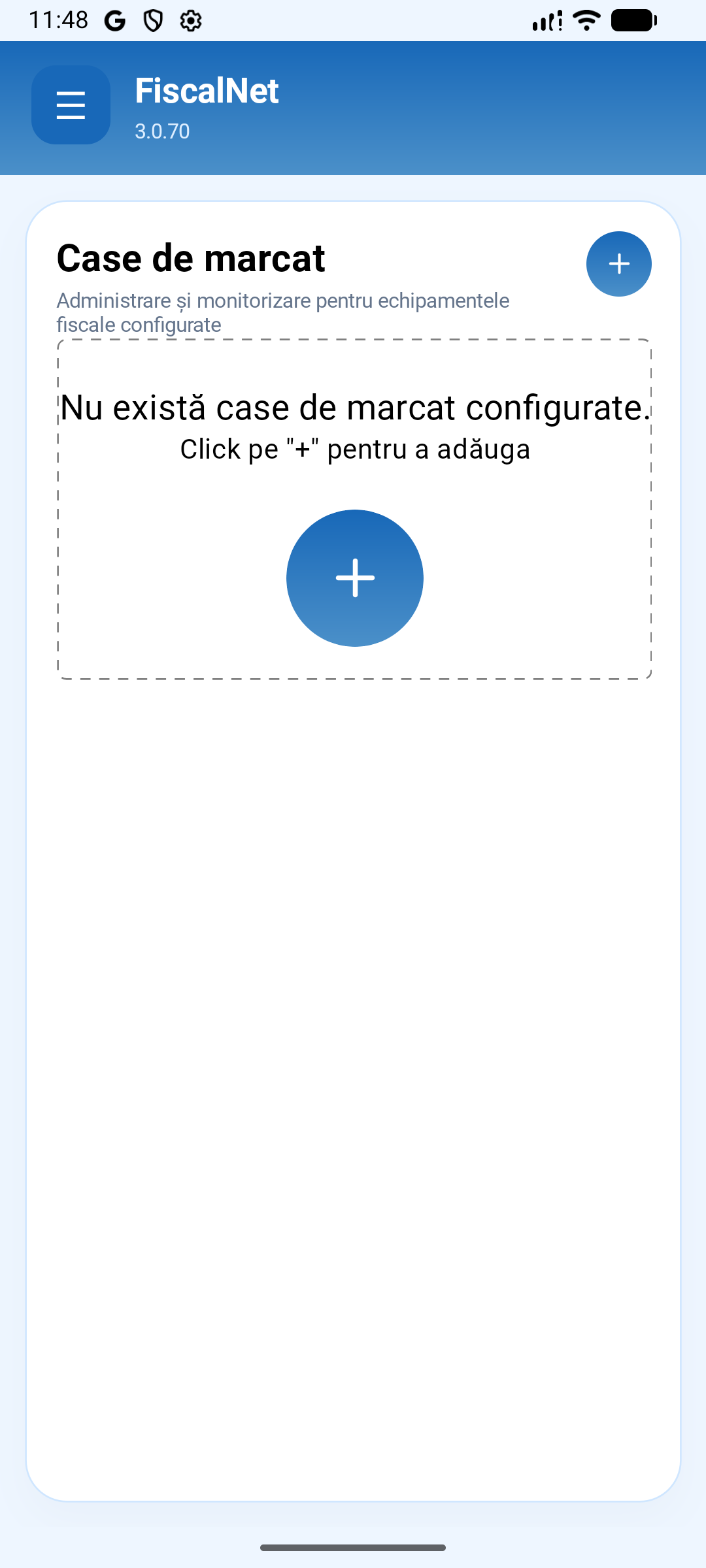
The screenshots show the standard application, not a connection procedure validated for X30TR. The compatibility and FiscalNET profile for this model require confirmation.
Check the installed distribution and version. The image shows the Case de marcat page in the standard application; the manufacturer's package may have a different flow.
 Enlarge image
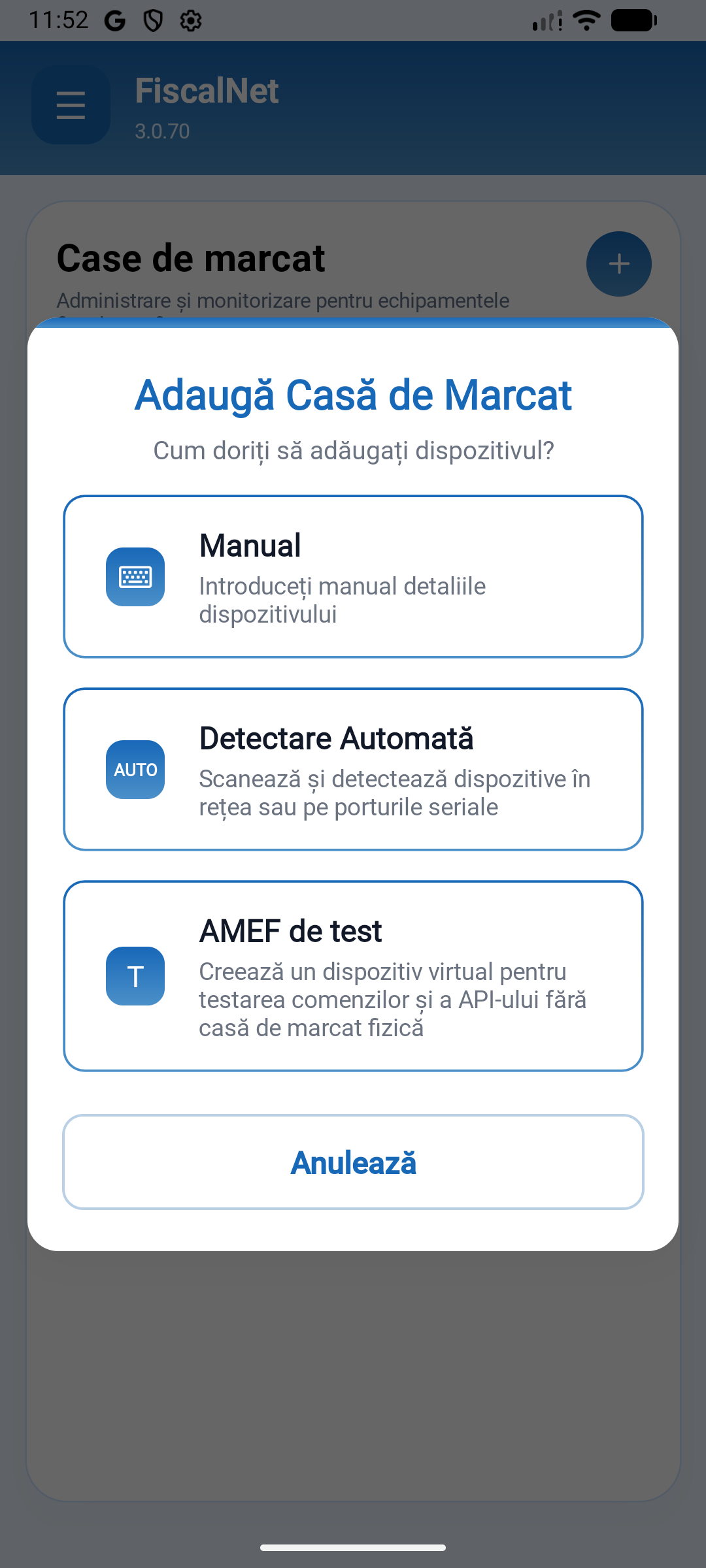
The General Dialogue offers Manual, Automatic Detection and Test AMEF. Do not select an external cash register profile for the integrated printer without following the terminal procedure. The test AMEF is virtual; it does not represent the physical device.
 Enlarge image
Follow the preparation documented below and confirm the profile, the installed services and the status of the device. For the PC-based sales application, refer to the Windows section; do not use the COM number from an external cash register form.
This model is an Android terminal. If the sales application is running on Windows, the connection to the terminal is established through the integration supported by the installed FiscalNET package; it does not automatically configure as a cash register on a COM port.
Check the network selected in the Connection menu and the WiFi/mobile data access with the terminal distributor.
Request the package and confirmation of compatibility for X30TR. Do not install a kit intended for another terminal.
Check the activation of the payment service and the configuration of the terminal with the provider/bank; this is separate from the installation of the fiscal application.
Send the device model, the connection used, the FiscalNET version, and the error message.
Download FiscalNet and configure your equipment.