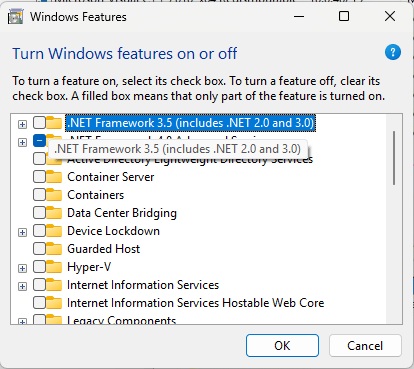
The screenshots and steps below describe installation via "Windows Features", available on Windows 11 25H2 and earlier versions. On Windows 11 26H1 / build 28000 and later, .NET Framework 3.5 is installed separately, as per Microsoft guide. Check the version with winver before intervention.
The type initializer for ` ` threw an exception. External error – This error occurs following the latest Windows updates, and it seems that after certain updates, something is interfering with the operation of TremolServer.
There are a few recommendations to resolve this error.
1. Windows Update
2. Uninstall, reinstall .NET Framework 3.5 from Windows Features if it does not work with a Windows update
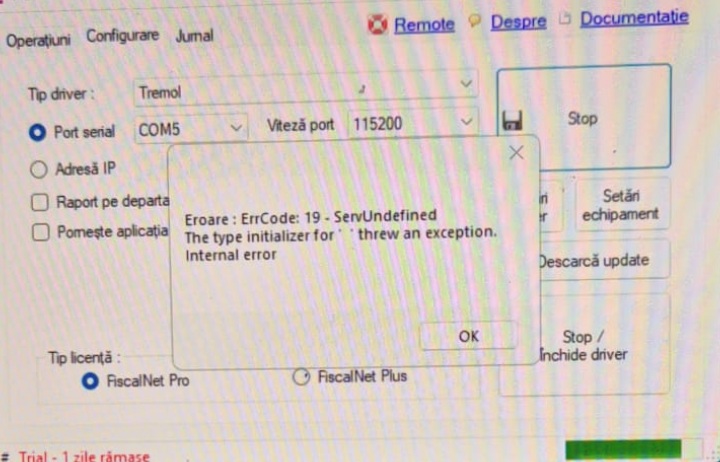
Uninstall / Install Framework
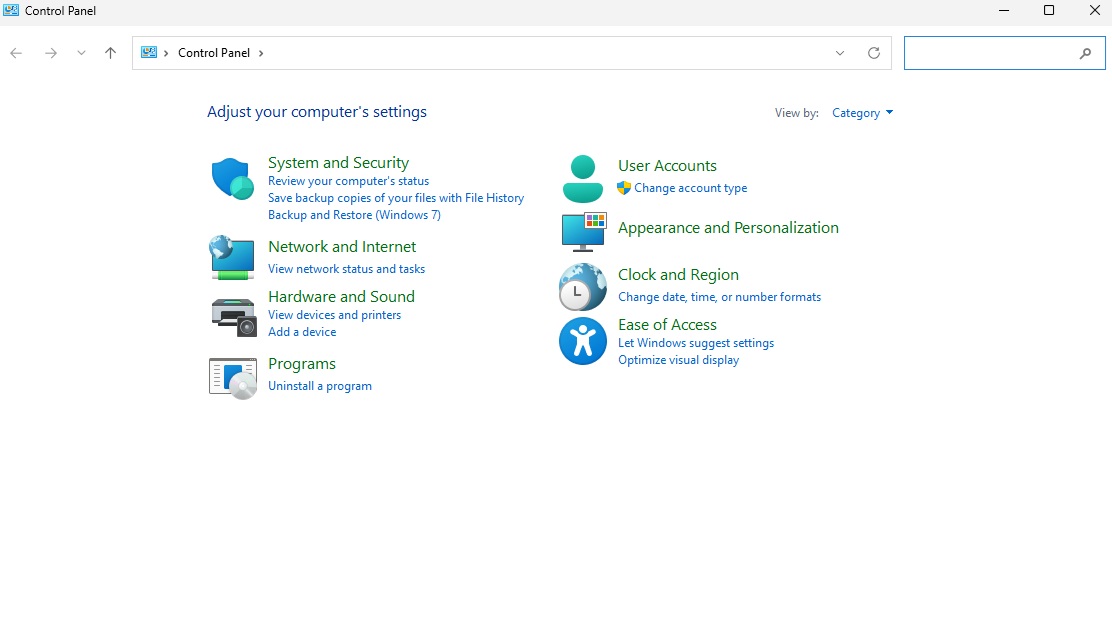
1. Go to Control Panel – select the Category view mode and click on "Uninstall a program" in the Programs section.
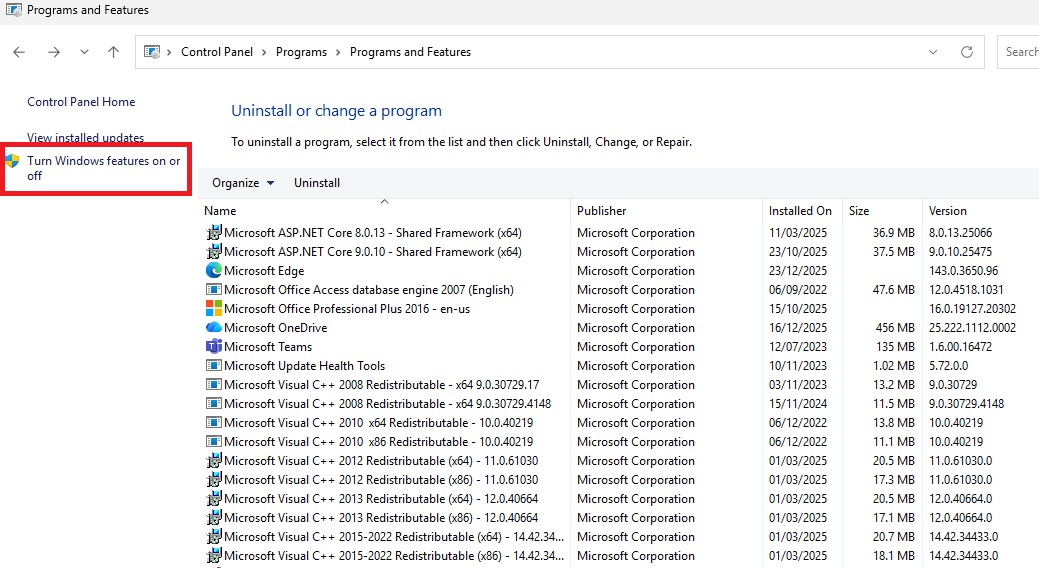
2. Click on "Turn Windows features on or off"
3. Deselect .NET Framework 3.5 and wait for it to uninstall.
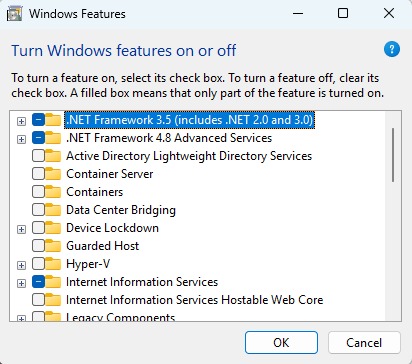
4. After restarting, click on .NET Framework 3.5 and wait for it to install.