
The steps and passwords below are those from the documented configuration. Menus and passwords may differ depending on the model, firmware, and settings configured by the distributor. Do not apply the sequence if it does not match your device.
Error information
:
This error occurs when the IP address of the fiscal equipment has changed or it is no longer connected to the network.
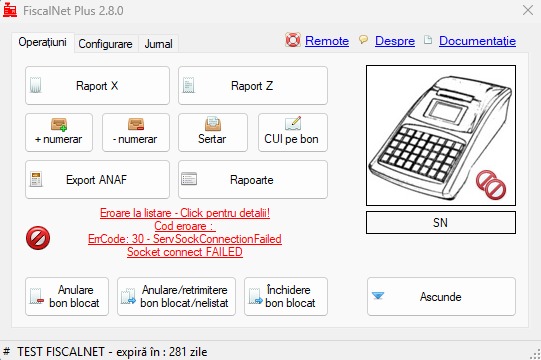
Error resolution
:
On the fiscal equipment, follow the steps below:
Step 1:
Check whether the network cable is connected to the LAN port or whether it is connected to Wi-Fi.
Step 2:
MODE -> PROGRAM -> 33333 -> KEY 1 (Param 1 and the cash register serial number appear) -> D4 (LAN D1 – D3 appears) -> D1 until Param 1 appears -> D2 password 123456 -> TOTAL -> D3 (selected LAN or WiFi appears) -> exit with MODE
Step 3:
REG OPER 0 TOTAL FUNC QTY (Sales mode and IP display)